OMTECH
Home / Apps / Frontier
Frontier
In development · version 0.10

The new frontier in stone workshop management.

Jobs, CAD drawing with 3D preview, a materials library and live status of your CNC machines. All in one app that runs in the browser, on your workshop's own server.

frontier · workshop server
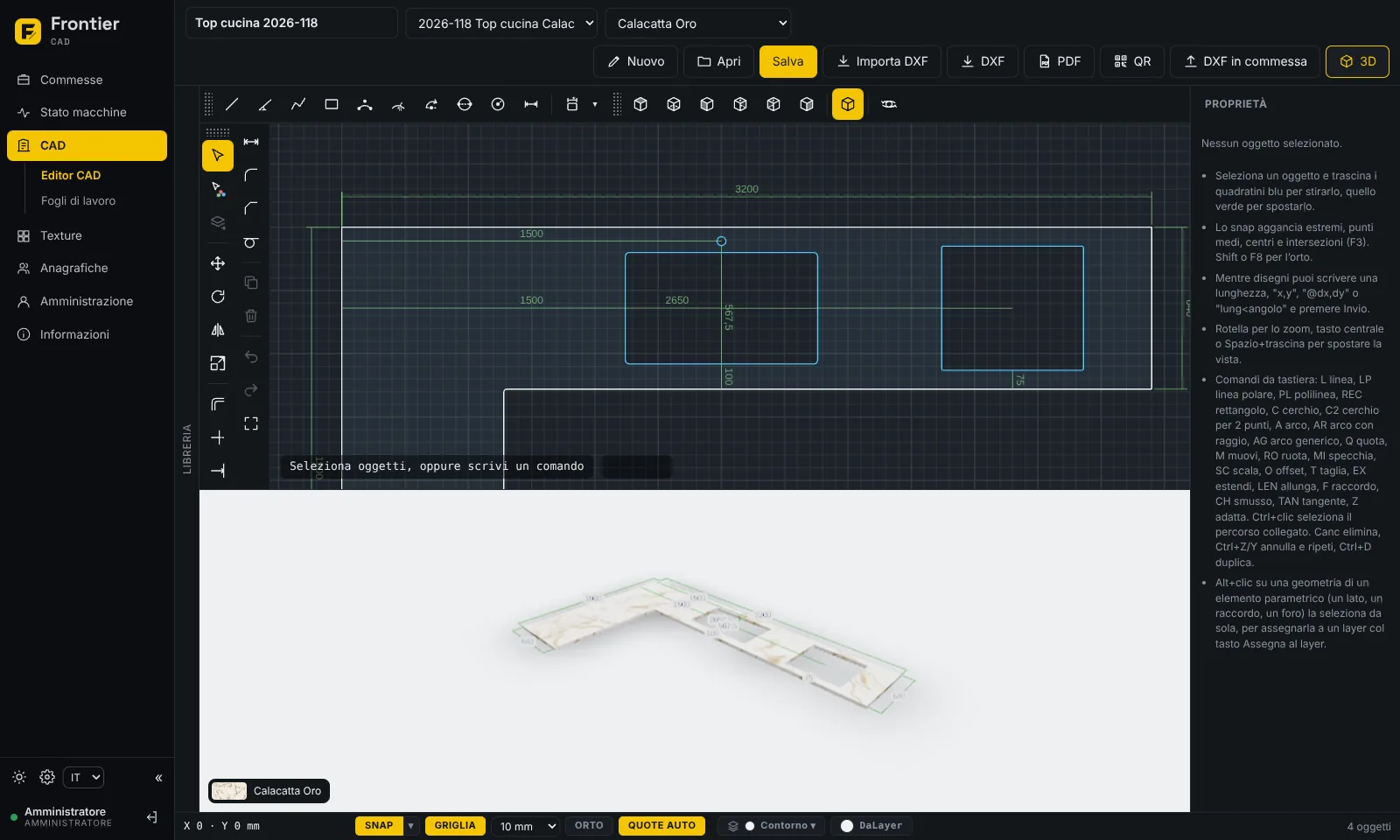
Frontier CAD editor: L-shaped kitchen top with sink and hob, dimensioned 2D drawing above and 3D preview in Calacatta Oro below
Why Frontier

From customer order to machine, without juggling five different programs.

Frontier was born in the workshop, for people who work marble, granite, engineered stone and ceramics with CNC machines. The technical office and operators see the same information, each with the right permissions.

Jobs

Jobs and sub-jobs, work phases and file archive.

2D & 3D CAD

Parametric tops, sinks and holes, previewed in 3D on the real material.

Machines

Live status of CNC controllers, department by department.

Materials

A slab library with real sizes, finish and veining.

CAD for stone

Draw a top in minutes and see it in 3D straight away.

Parametric elements made for stone workshops: straight, L and U-shaped tops and islands, undermount, inset and double sinks, hobs, tap and dispenser holes. Change a size and the drawing updates.

  • Automatic dimensions and workshop layers
  • Edit tools: move, rotate, mirror, offset, fillet, chamfer
  • DXF import, DXF export and PDF sheets with title block
  • QR code on each drawing to open it from a phone in the workshop
CAD editor
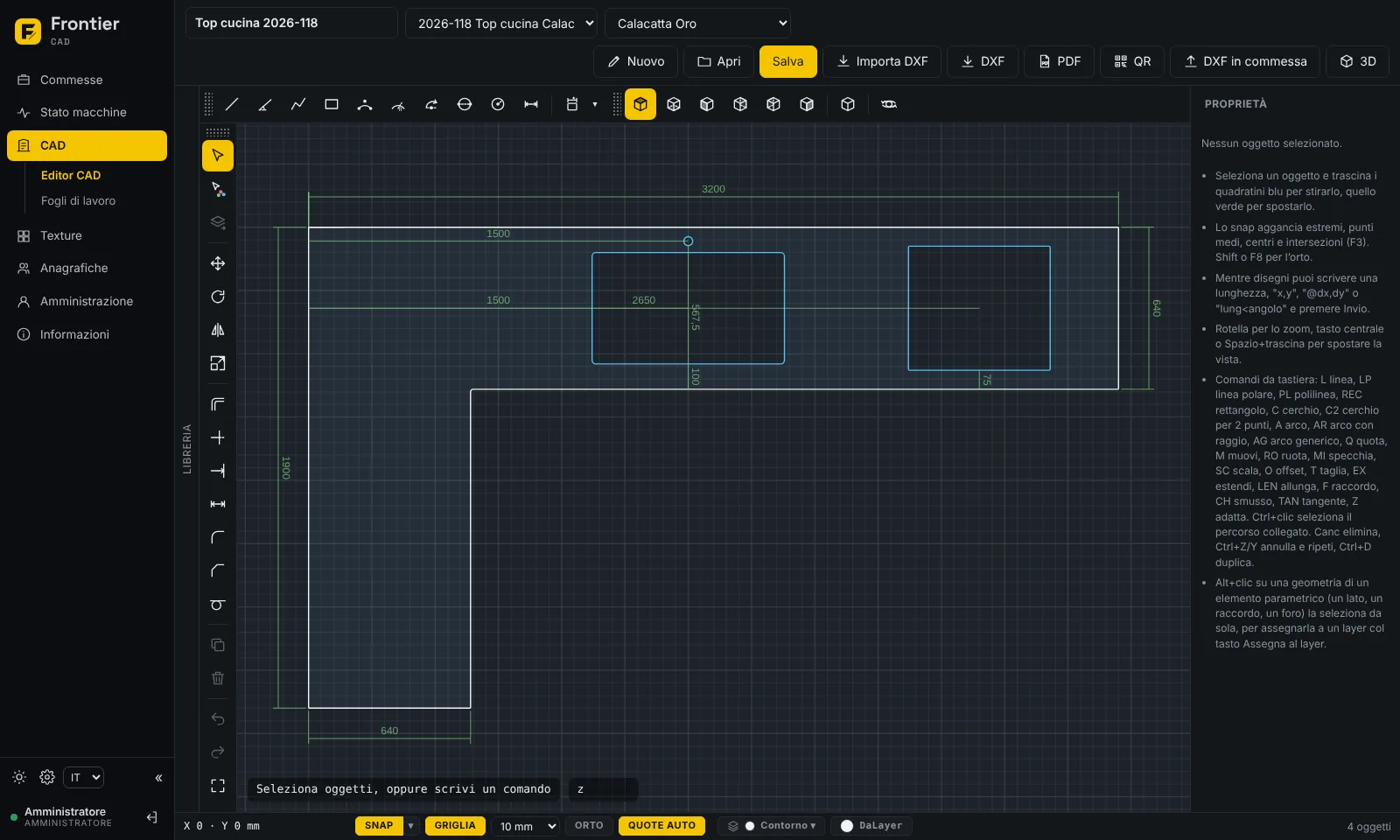
Dimensioned 2D drawing of an L-shaped top with undermount sink and hob in the Frontier CAD editor
L-shaped top with undermount sink and hob. Sample data, Italian interface.
Jobs

Every job under control, phase by phase.

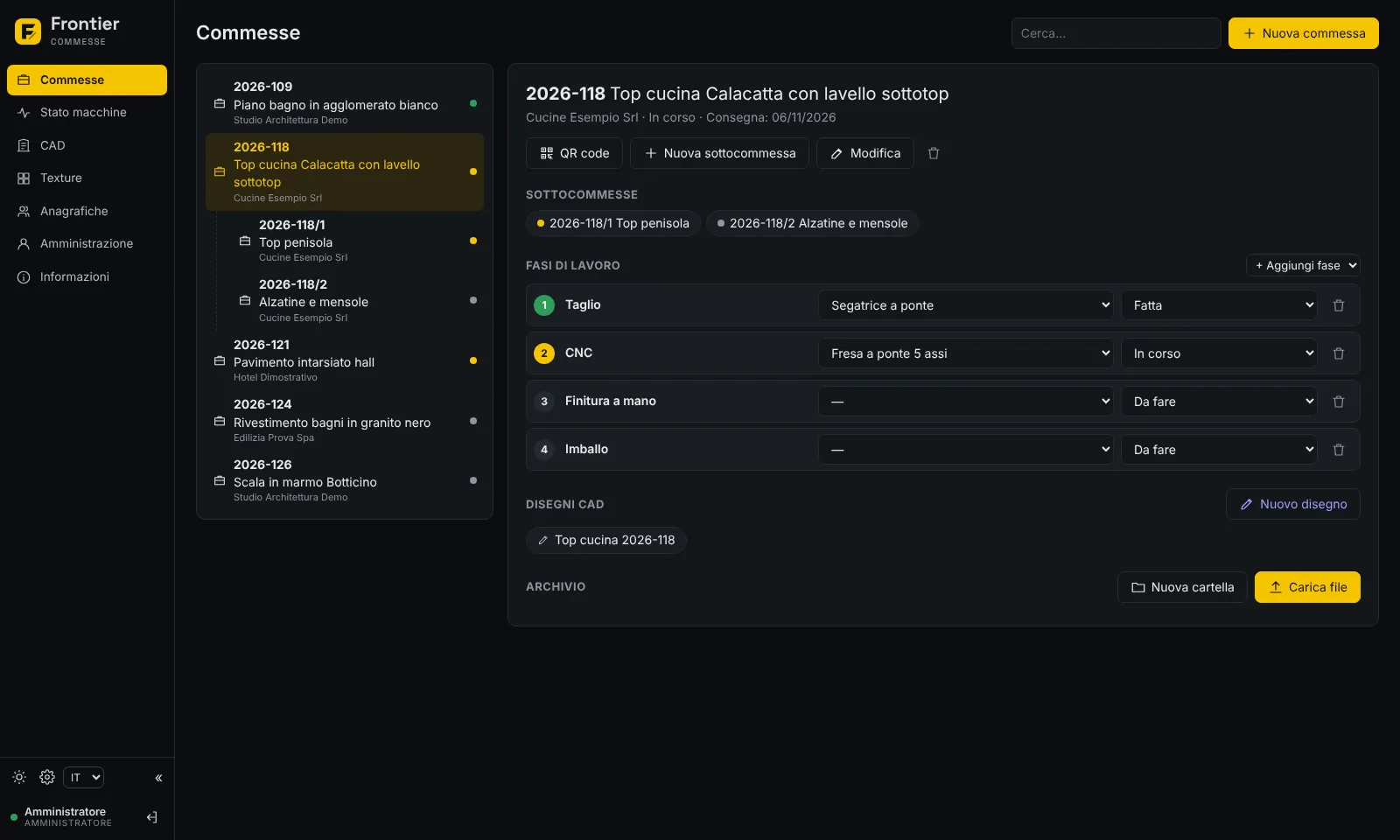
Jobs and sub-jobs in a tree, linked to the customer. For each job you set the phases (cutting, CNC, waterjet, hand finishing, packing), the assigned machine and progress.

  • File archive per job: ISO, CAD drawings, PDF, Easystone CAM projects
  • CAD drawings linked to the job
  • Printable QR code labels to stick on the pieces
Jobs
Frontier job list with the details of one job: sub-jobs, work phases with machine and status, CAD drawings and archive
Job details with phases, machines and drawings. Sample data, Italian interface.
Materials

Customers see their top before it's cut.

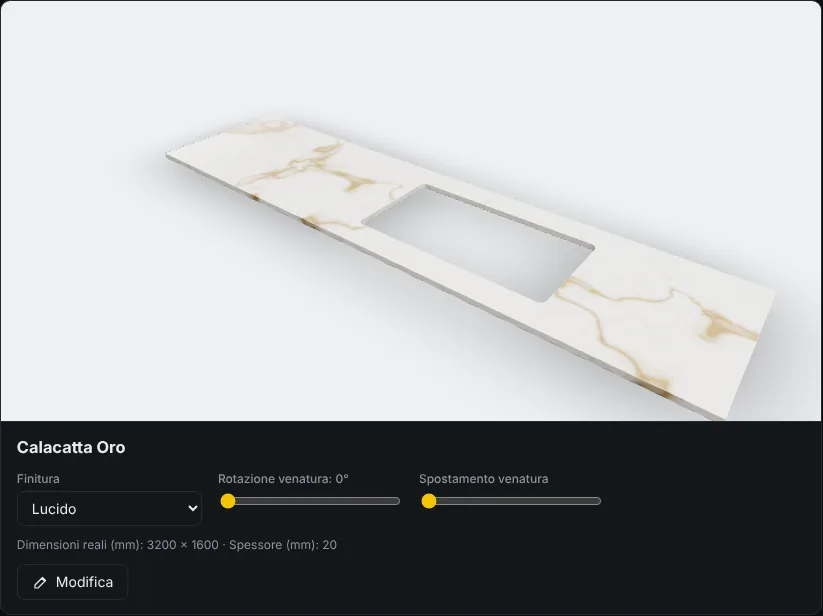
A library of marble, granite, engineered stone and ceramics, plus photos of your own slabs with their real sizes. Choose the finish and vein direction and see the result in 3D.

  • Polished, honed, brushed and flamed finishes
  • Vein rotation and offset
  • The same material in the CAD 3D preview
Textures
3D preview of a Calacatta Oro top with sink cut-out in the Frontier materials library
3D preview in Calacatta Oro.
Machine status

Know what every machine is doing without walking to the shop floor.

Frontier reads CNC controller status in real time: working, idle, error or emergency. No manufacturer is hard-wired: each machine has its own controller, department and work area.

Machine status · live
Frontier machine status panel with bridge mill, edge polisher, bridge saw and waterjet and their status
Machines connected to the built-in simulator. Sample data, Italian interface.
Specifications

Built for the workshop, not the cloud.

Frontier installs on a PC or server in your network. Your data stays in the company, and other PCs, tablets and phones open it in the browser.

Runs on
Any browser, on a local server (Windows installer or Docker)
Users
Administrator, Technical office, Operator
Languages
Italian, English, Dutch
CNC controllers
Siemens Sinumerik via OPC UA; Fanuc 31i and OSAI Open via OPC UA where available; built-in simulator
Formats
DXF import and export, PDF sheets
Coming next
ISO generation with post-processor, native Fanuc and OSAI protocols

Want to see Frontier in your workshop?

We'll show you the app and work out together how to connect it to your machines.

Request a demo